Build Location Pages for SEO That Convert
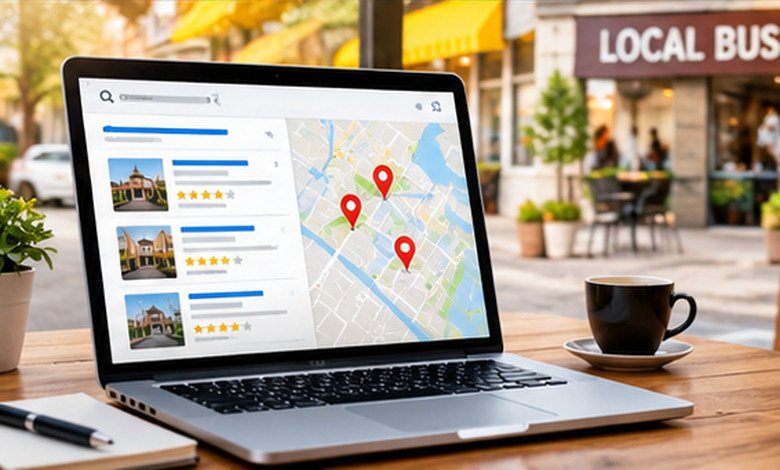
Location pages for SEO help local customers find you faster. Learn how to build useful pages that earn trust and drive leads.
Location pages for SEO are dedicated webpages that help customers discover a business at a specific address or within a particular service area. Effective pages provide accurate contact information, locally relevant services, directions, genuine customer proof, and clear next steps. The key is to create pages that genuinely help people in each location rather than publishing near-identical pages with different city names.
Imagine searching for an emergency plumber in Manchester. You find two businesses: one has a generic homepage claiming to serve the entire country, while the other has a dedicated page explaining its Manchester service area, emergency availability, local contact details, and what happens when you request a repair.
Which business would you feel more comfortable contacting?
For many customers, the second option offers something more valuable than a broad promise: evidence that the business understands their needs and can help them locally.
That is the purpose of location pages for SEO. They connect a business’s services with the places it actually serves, giving potential customers the information they need to decide whether to visit, call, book, or request a quote.
However, creating a separate page for every city is not automatically a winning strategy. The real challenge is deciding which locations deserve their own pages, what information each page should contain, and how to keep those pages useful as the business grows.
Let’s break down how to do that effectively.
What Are Location Pages for SEO?
Location pages are dedicated webpages describing a business’s presence, services, or availability in a particular geographic area. Depending on the business model, a page might represent a physical storefront, a professional office, a clinic, or a service area without a customer-facing premises.
For example, a dental group with branches in Birmingham, Leeds, and Manchester could create an individual page for each clinic. Each page would provide its address, opening hours, available treatments, parking information, and appointment details.
A cleaning company operating from one office but serving several nearby towns might use a different approach. Its pages could explain which services are available in each town, the types of properties it handles, and how customers can arrange a visit.
The distinction matters because a location page should represent a real business presence or a meaningful service offering, not simply a place name.
Google’s guidance emphasizes that local results depend primarily on relevance, distance, and prominence. Useful website content can support a business’s local presence, but publishing a location page does not guarantee visibility or overcome every geographic limitation.
Why Location Pages Matter for Local Businesses
Location pages help customers move from a general need to a relevant local solution. They also give businesses a practical way to organize information when serving multiple markets.
Consider three common scenarios.
They help customers find the right branch
A retailer with 15 stores needs more than a corporate homepage. Customers want to know which branch stocks a product, whether it opens on Sundays, and how to get there.
Individual store pages answer those questions without forcing visitors to contact headquarters or browse an unrelated directory.
They make service availability clearer
A homeowner looking for roof repairs needs to know whether a contractor covers their neighborhood, handles their type of roof, and can arrange an inspection.
A dedicated local page can explain the service area, common property types, appointment process, and relevant limitations. This reduces uncertainty before the customer makes contact.
They create a more relevant customer experience
Location pages can also address differences between branches.
A fitness center in one neighborhood might offer swimming lessons, while another focuses on personal training. A law firm’s offices might have different appointment arrangements or specialist teams.
Showing these distinctions helps customers choose the right option instead of treating every branch as interchangeable.
The broader benefit is straightforward: a useful location page answers the questions a customer would ask before visiting or contacting a business.
What Should a High-Quality Location Page Include?
The strongest location pages combine essential business information with details that help customers make decisions. The exact layout depends on whether the page represents a retail store, a healthcare practice, a restaurant, or a service-area business.
Here are the elements worth prioritizing.
1. A clear location-specific heading
Tell visitors immediately where the business operates and what it offers. A heading such as “Emergency Plumbing Services in Manchester” communicates more than a vague headline like “Welcome to Our Local Team.”
Keep the wording natural. The goal is to identify the service and location, not cram every possible geographic variation into one sentence.
2. Accurate contact information
Include the location’s business name, address where applicable, phone number, operating hours, and a clear way to get in touch. If customers can visit in person, provide directions and a map link.
For businesses with multiple branches, verify that each page contains the correct details. A customer arriving at a closed office because the website lists outdated hours is unlikely to care how polished the page looks.
3. Services and availability specific to that location
Explain what customers can actually obtain at the location. A car dealership might list available vehicle services, while a medical clinic could explain its specialties, appointment options, and accessibility arrangements.
For a service-area business, identify the areas served and clarify whether emergency appointments, site visits, or particular services are available there.
4. Genuine local proof
Use original photographs, relevant staff information, authentic testimonials, and examples of work completed in the area when available and appropriate.
For instance, a landscaping company could show a completed garden project in a nearby neighborhood, explain the work involved, and link to its project portfolio. That is more persuasive than repeating that the company is the area’s leading landscaping provider.
5. Practical visitor information
Think beyond the obvious contact details. Parking availability, public transport, wheelchair access, nearby landmarks, delivery arrangements, and appointment procedures can all influence a customer’s decision.
Prioritize the information that matters to your particular audience. A restaurant may need menu and reservation details, whereas a law office may benefit more from information about consultations and its practice areas.
6. A clear next step
Every page should make the next action obvious. Depending on the business, that could be calling the branch, booking an appointment, requesting a quote, checking availability, or getting directions.
Avoid forcing customers to navigate back to the homepage to complete a basic task.
How to Create Location Pages for SEO Step by Step
Creating effective location pages becomes much easier when you follow a consistent process. A reusable template can save time, but the research and information behind each page should reflect the actual location.
Step 1: Choose locations that justify individual pages
Start with your real business footprint rather than a long list of cities you would like to target.
For physical businesses, consider every genuine customer-facing branch. For service-area businesses, prioritize places you serve reliably and where you can provide meaningful local information.
Ask whether a separate page would help customers understand something that a general services page cannot explain adequately.
Step 2: Research local customer needs
Find out what customers in each area actually need to know. Review customer enquiries, sales conversations, support tickets, and frequently asked questions from existing clients.
A home renovation company might discover that customers in one area frequently ask about older terraced houses, while another market has more new-build properties. These differences can shape useful service descriptions and project examples without inventing artificial local distinctions.
Step 3: Create a consistent page structure
Build a reusable layout containing the heading, introduction, services, contact details, local proof, practical information, and call to action.
Then populate it with verified information for each location. Reusing a layout is efficient; reusing nearly every sentence regardless of location is not.
Step 4: Organize pages with clear URLs and internal links
Use short, readable URLs that make the page’s purpose clear. For example:
- /locations/manchester/
- /locations/leeds/
- /locations/birmingham/
The exact structure is flexible. What matters is that customers can browse locations easily and that important pages are accessible through ordinary links rather than hidden inside an unsearchable interface.
A central locations directory can link to every branch. Relevant service pages can also link to the locations where those services are available.
Step 5: Connect pages to the right business listings
If a business qualifies for a Google Business Profile, keep its information accurate and connect its website field to the appropriate location page when suitable.
Do not create fictitious storefronts or claim offices that do not exist. Google’s guidelines distinguish between customer-facing businesses and service-area businesses, and virtual offices that are not staffed during business hours generally do not qualify as business locations.
Step 6: Add appropriate structured data
Structured data provides machine-readable information about a business. For a genuine physical location, relevant LocalBusiness markup can describe details such as the business name, address, telephone number, and opening hours.
Use the most specific suitable business subtype, ensure the markup matches the visible page, and validate the implementation before publishing. Structured data can help Google understand the page, but it does not guarantee a special search result or improved placement (Google’s Local Business structured data documentation.
Step 7: Measure performance and maintain accuracy
After publishing, check whether the pages are accessible, indexed, and attracting relevant visitors. Review customer enquiries, phone calls, bookings, and other meaningful outcomes rather than judging success by traffic alone.
Keep hours, services, staff details, and contact information updated as the business changes.
Location Pages vs. Service Area Pages vs. a Locations Directory
These page types serve related but different purposes. Choosing the right structure prevents unnecessary duplication and makes the website easier to navigate.
| Page type | Primary purpose | Best suited for |
| Physical location page | Describes a specific business premises | Retailers, clinics, restaurants, franchises |
| Service-area page | Explains services available in a particular geographic area | Plumbers, cleaners, contractors, mobile services |
| Locations directory | Helps visitors find and compare branches | Businesses with multiple locations |
| General service page | Explains a service regardless of location | Businesses offering the same service across several markets |
A business may need more than one of these. For example, a cleaning company could maintain a general cleaning services page, a directory of its operating areas, and selected city pages that explain local availability.
The important distinction is that each page should perform a different job. A directory helps people choose where to go; an individual location page helps them decide whether that specific branch meets their needs.
Common Mistakes to Avoid
Even a technically sound website can have weak location pages if the content does not provide meaningful local value.
Publishing hundreds of nearly identical pages
Changing “Manchester” to “Leeds” throughout a template does not create a genuinely useful new page.
Google explicitly identifies doorway abuse as a problem when similar pages target specific regions or cities but provide little independent value and funnel visitors toward the same destination. Its scaled content abuse policy also covers large quantities of unoriginal pages produced primarily to manipulate results.
A page should earn its place on your website through the information or functionality it provides.
Inventing local details
Do not fabricate local offices, customer testimonials, staff members, completed projects, or neighborhood expertise. These claims can mislead customers and damage trust.
If you have limited location-specific information, publish fewer, stronger pages rather than manufacturing details to fill a template.
Treating word count as the goal
There is no universal word count that guarantees a successful location page. A store page may answer every important question in a few hundred words, while a complex service location may require more explanation.
Focus on completeness, accuracy, and usefulness. Add information because it helps the reader, not because the page looks short.
Forgetting technical accessibility
Pages that are not linked internally, accidentally marked noindex, or blocked from crawling can struggle to be discovered and indexed.
Use descriptive internal links, include relevant canonical URLs, maintain an XML sitemap, and inspect important pages in Google Search Console.
Confusing local pages with guaranteed local visibility
A well-written page cannot eliminate distance as a consideration in local results. Businesses must also maintain accurate business listings, build a credible local presence, and deliver relevant services.
Treat the website and the business’s broader local presence as complementary parts of the same strategy.
Frequently Asked Questions
How many location pages should a business create?
Create one page for each genuine physical location that benefits from its own page, and consider service-area pages where they provide distinct, useful information. There is no ideal page count; the number should reflect the business’s actual footprint and customers’ needs.
Do location pages need unique content?
Yes, they should contain meaningful information specific to the location. Shared branding and service descriptions are acceptable, but each page should provide enough distinct detail to justify its existence.
Can a business rank in a city without having an office there?
It can appear for some relevant searches, but visibility is not guaranteed. Service-area pages can explain where a business operates, while local results may still be influenced by distance, relevance, and prominence.
Should every location page include a map?
A map or directions link is useful when customers need to visit a physical premises. For service-area businesses without a customer-facing address, clear service coverage and contact information may be more appropriate.
How long does it take for location pages to produce results?
There is no reliable universal timeline. Discovery, indexing, competition, business prominence, content quality, and the accuracy of local information all influence outcomes. Monitor performance over time rather than expecting a fixed result within a specific number of days.
Key Takeaways
- Build pages around real locations and service areas. Do not create geographic pages simply to expand the website.
- Make each page locally useful. Include accurate details, relevant services, practical visitor information, and genuine proof.
- Use templates intelligently. Standardize the layout while tailoring the information to each location.
- Keep business details consistent. Addresses, telephone numbers, opening hours, and services must reflect reality.
- Make pages easy to find. Use internal links, a useful locations directory, and appropriate sitemap management.
- Avoid fabricated details and doorway pages. More pages do not automatically mean better results.
- Measure customer outcomes. Calls, bookings, directions requests, and qualified enquiries reveal whether pages are helping the business.
Additional Resources
- Spam Policies for Google Web Search: Learn how Google defines doorway abuse and scaled content abuse so you can build location pages that provide genuine value rather than creating large volumes of repetitive content.