Keyword Ranking Monitor: A Smarter Way to Track Visibility
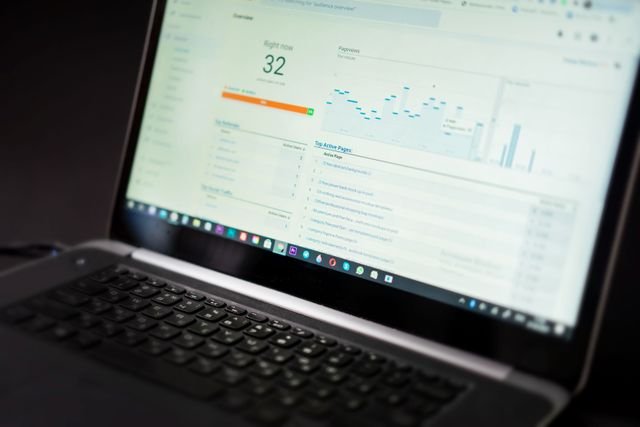
A keyword ranking monitor turns confusing position changes into clear actions, helping you protect visibility and spot opportunities.
A keyword ranking monitor is a tool that regularly records where your website appears for specific search queries and shows how those positions change over time. The most useful monitors go beyond a single number by connecting position changes with pages, locations, devices, competitors, and search-result features.
Why a Keyword Ranking Monitor Matters More Than a Daily Google Check
There is something strangely reassuring about typing a phrase into Google, finding your page, and seeing it near the top.
The problem is that this snapshot can be misleading. Results can vary according to location, device, language, search history, timing, and other factors, so what you see may not represent what another person sees. Google itself notes that results can differ by time, place, device, and recent history.
A keyword ranking monitor solves a different problem: consistency. Instead of repeatedly checking individual searches, it creates a historical record that lets you ask, “What changed?” rather than simply, “Where am I today?”
A useful position number is not the destination; it is a signal that tells you where to investigate next.
That distinction becomes increasingly important as search-result pages become more complex. A page can hold a strong traditional position while receiving less attention because the results page also contains features such as featured snippets, local packs, videos, People Also Ask, or AI-generated answers.
What a Keyword Ranking Monitor Actually Tracks
At its simplest, a monitor records a website’s position for a selected search query.
A serious monitoring system adds context around that position. Depending on the platform, you may be able to track the same query by country, city, device, search engine, landing page, competitor, date, and result type. Current commercial tools such as Semrush Position Tracking and Rank Monitor offer variations of these capabilities.
The distinction matters because “position 7” means very little without context.
Imagine a local plumbing company that holds position 7 nationally but position 2 in its target city. The second figure may be much more useful to the business because it reflects the audience it actually serves.
A good monitoring setup therefore answers four questions:
- Where do we appear?
- Which page appears there?
- How has that position changed?
- What changed around us?
That last question is frequently overlooked.
The Difference Between a Position Tracker and a Performance Dashboard
A tracker tells you where you appear.
A performance dashboard tries to explain what that position means.
For example, Google Search Console reports clicks, impressions, click-through rate, and average position. Its average position is calculated across impressions rather than representing one fixed position that every searcher sees. Google recommends paying attention to trends in impressions and clicks rather than treating position alone as the ultimate measure.
This creates an important distinction:
| Data source | Best used for | Main limitation |
| Manual Google check | Quick visual inspection | One moment, one context |
| Google Search Console | Actual impressions and clicks | Average position is not a fixed rank |
| Dedicated position monitor | Consistent historical tracking | Position data still needs interpretation |
| Analytics platform | Visitor and conversion behavior | Does not replace position tracking |
Think of these tools like a car dashboard.
Your speedometer tells you how fast you are moving. Your fuel gauge tells you how much fuel remains. Neither tells you whether you are driving toward the right destination.
The same is true here: position data is valuable, but it becomes far more useful when connected to traffic, conversions, pages, and business outcomes.
How to Choose the Right Monitoring Setup
Not every website needs an expensive platform with hundreds of features.
A small website with 20 important queries may need little more than reliable historical position data and basic location tracking. An international company managing thousands of queries across multiple markets needs much more sophisticated segmentation.
Start with location and device accuracy
Location is one of the most important settings.
A business serving Lahore should not assume that a position recorded in New York tells it anything meaningful about its local visibility. Likewise, a mobile-first business should not rely exclusively on desktop observations.
Modern tracking platforms can monitor positions by country, city, and device.
Look for historical data
Today’s position is useful. Six months of history is much more useful.
Historical records help distinguish a genuine change from normal fluctuation. A page that moves between positions 5 and 9 every week is behaving very differently from a page that sits at position 4 for six months before suddenly falling to 18.
Historical position data turns an isolated number into a trend.
This is also why it is worth preserving your own records. Google Search Console provides up to 16 months of performance data in its standard reporting window, while longer-term analysis requires data to be stored elsewhere. Google specifically recommends extending analysis through exports or the Search Analytics API when longer history is needed.
Check page-level reporting
A surprisingly useful feature is knowing which URL is appearing for each tracked phrase.
Suppose a product page and an educational article alternate for the same query. That may indicate that your site has competing pages addressing similar needs. A monitoring system that exposes page-level changes makes this pattern much easier to notice.
Consider competitor visibility
Competitor comparisons add another layer of context.
If your page falls from position 4 to 8 while three competitors simultaneously move upward, the problem may not be your page alone. A competitor may have published a substantially better resource, changed its page structure, gained stronger references from other websites, or simply become more relevant to the query.
That calls for investigation, not panic.
How to Use Position Changes Without Overreacting
One of the biggest mistakes is treating every movement as an emergency.
Positions naturally fluctuate. Search results are dynamic, and Google recommends examining trends and comparing relevant periods when diagnosing traffic changes.
Instead of reacting to every one-day movement, establish thresholds.
For example:
- 1–2 positions: Usually worth watching.
- 3–5 positions: Investigate the page and surrounding results.
- 6+ positions: Look for a meaningful change in the page, competitors, or result landscape.
- Sudden disappearance: Check indexing, technical accessibility, and whether the result itself changed.
The exact thresholds should depend on the importance of the query.
A position change from 2 to 3 may matter more commercially than a change from 47 to 40. The first page could already be generating substantial business; the second may still receive little attention.
What to Do When a Page Suddenly Drops
A sudden decline creates a natural temptation to start changing everything.
Don’t.
First, confirm the measurement. Check the date range, location, device, and tracked URL. Then compare the period before and after the change.
Next, inspect the results around your page.
Has a new competitor appeared? Has the format changed? Are videos, shopping results, local results, featured answers, or AI-generated features taking more space?
Google’s current documentation says AI Overviews and AI Mode can contain links to pages that meet the normal technical requirements for appearing in Google Search. As of August 31, 2026, Google has also rolled out a dedicated generative AI performance report in Search Console showing impressions from AI Overviews and AI Mode, including pages, countries, devices, and dates.
That changes how visibility should be interpreted.
A traditional position number is no longer the entire picture.
How to Turn Monitoring Into a Weekly Workflow
The best monitoring system is not the one with the prettiest dashboard. It is the one that leads to better decisions.
A practical weekly review can take less than an hour.
Step 1: Find significant movement
Filter your tracked phrases into major gains and losses.
Do not immediately celebrate gains or panic over losses. First look for patterns.
If ten phrases connected to the same page rise together, you may have a genuine page-level improvement. If ten phrases fall together, investigate the page, competitors, and result layout.
Step 2: Group related phrases
Looking at individual terms can create tunnel vision.
Group related phrases around the same page, product, service, or topic. A page that moves from position 12 to 8 for one phrase but improves across twenty related phrases may be performing much better than that single number suggests.
Step 3: Compare pages, not just positions
Ask which URL is winning visibility and why.
If one page suddenly replaces another from your own website, examine whether the two pages overlap. If a competitor’s page takes several positions at once, study what changed on that page.
Step 4: Connect the data to real outcomes
Finally, compare position movement with clicks, leads, purchases, sign-ups, or other meaningful outcomes.
Google recommends using clicks and impressions alongside average position rather than relying on position alone.
A position improvement that produces no additional business deserves a different response from one that doubles qualified leads.
Common Mistakes That Make Monitoring Less Useful
Checking only one location
A national average can hide enormous local differences.
For businesses dependent on geography, monitor the places where customers actually live and buy.
Tracking too many phrases
More data does not automatically mean better insight.
A thousand poorly chosen phrases can be less useful than 100 carefully selected ones connected to important pages and business objectives.
Treating average position as an exact rank
Google’s average position is an aggregated measurement. It should not be interpreted as “my page appeared exactly here for every search.”
Ignoring the page that ranks
Position without URL information makes diagnosis much harder.
Always know which page is receiving visibility for an important query and whether that page has changed.
Reacting to a single day’s movement
One unusual day can be noise.
Look for sustained movement, clusters of changes, and corresponding changes in impressions or clicks before making major decisions.
A Simple Decision Framework
When a position changes, use this sequence:
Confirm → Contextualize → Compare → Investigate → Act → Measure
Confirm: Is the movement real, and are the tracking settings consistent?
Contextualize: Did it happen across one phrase or an entire group?
Compare: What happened to competing pages and the result layout?
Investigate: Did your page, website, competitors, or external environment change?
Act: Make the smallest evidence-based change that addresses the likely cause.
Measure: Continue monitoring long enough to determine whether the change helped.
This framework prevents one of the most expensive habits in digital publishing: changing five things at once and then having no idea which change mattered.
What Is Changing in 2026?
The traditional blue-link position is becoming only one part of the visibility picture.
Google’s new generative AI performance reporting gives site owners dedicated information about impressions from AI Overviews and AI Mode. The report can break those impressions down by pages, countries, devices, and dates.
That means modern monitoring increasingly needs two perspectives: where your page appears in conventional results and where your content is being surfaced within newer result experiences.
The practical lesson is simple. Do not abandon position tracking; broaden what you consider a meaningful visibility signal.
Frequently Asked Questions
What is a keyword ranking monitor?
A keyword ranking monitor is software that regularly records where a website appears for selected search queries and stores those positions so changes can be analyzed over time.
How often should positions be monitored?
Daily monitoring is useful for important websites, major launches, migrations, and pages where sudden changes matter. For smaller sites, weekly review may be sufficient if the data is collected consistently.
Why does my Google position differ from a tracking tool?
Search results can vary according to location, device, language, search history, timing, and other factors. A tracker uses defined settings so measurements can be compared more consistently.
Is Google Search Console enough?
For many smaller websites, it can provide valuable performance data. Dedicated monitoring becomes more useful when you need structured historical position tracking, competitor comparisons, precise locations, device segmentation, or large-scale monitoring.
Should I worry about a one-position drop?
Usually not by itself. Look for sustained movement and check whether impressions, clicks, competing pages, or the result layout changed before taking action.
Key Takeaways
- A keyword ranking monitor provides consistent historical position data instead of isolated manual checks.
- Location, device, landing page, and competitor context can make position data dramatically more useful.
- Google Search Console’s average position is an aggregated metric, not a promise of one fixed position for every search.
- Trends matter more than individual daily fluctuations.
- A major position change should trigger investigation before intervention.
- Clicks, impressions, leads, sales, and other real outcomes should be considered alongside position.
- In 2026, visibility also extends into AI Overviews and AI Mode, making broader monitoring increasingly important.
Additional Resources
- AI Features and Your Website: Explains how AI Overviews and AI Mode work, eligibility requirements, and how their visibility is measured.